- Docs
- Administration
- Company settings
- Billing
Billing
Billing shows which licence your company has and what it allows. From here an admin chooses or changes the licence, pays by card, or cancels the automatic renewal.
In short
On this page you can
- See your company’s licence and its state in the licence chip.
- Open License Details for start and end dates, renewal and usage limits.
- Choose a licence on the Monthly or Annual tab and pay by card.
- Ask SmartestQA for an offer with Contact Us.
- Stop the automatic renewal with Cancel Plan.
How to use it
- Open Configuration › Company Settings › Billing.
- Read the licence chip and click View Details to check your limits.
- Pick Monthly or Annual, then the card’s Subscribe Monthly or Subscribe Annual button.
- Tick “I accept the Terms of Use”, click Pay and enter your card in Secure Payment; the licence activates when the payment is confirmed.
- To stop renewing, click Cancel Plan and confirm with Yes, Cancel License.
Billing is a section of Company Settings for admins. It is not shown when your company’s licence was agreed in a contract with SmartestQA. What your licence includes is specific to your company; the screen shows it for your company.
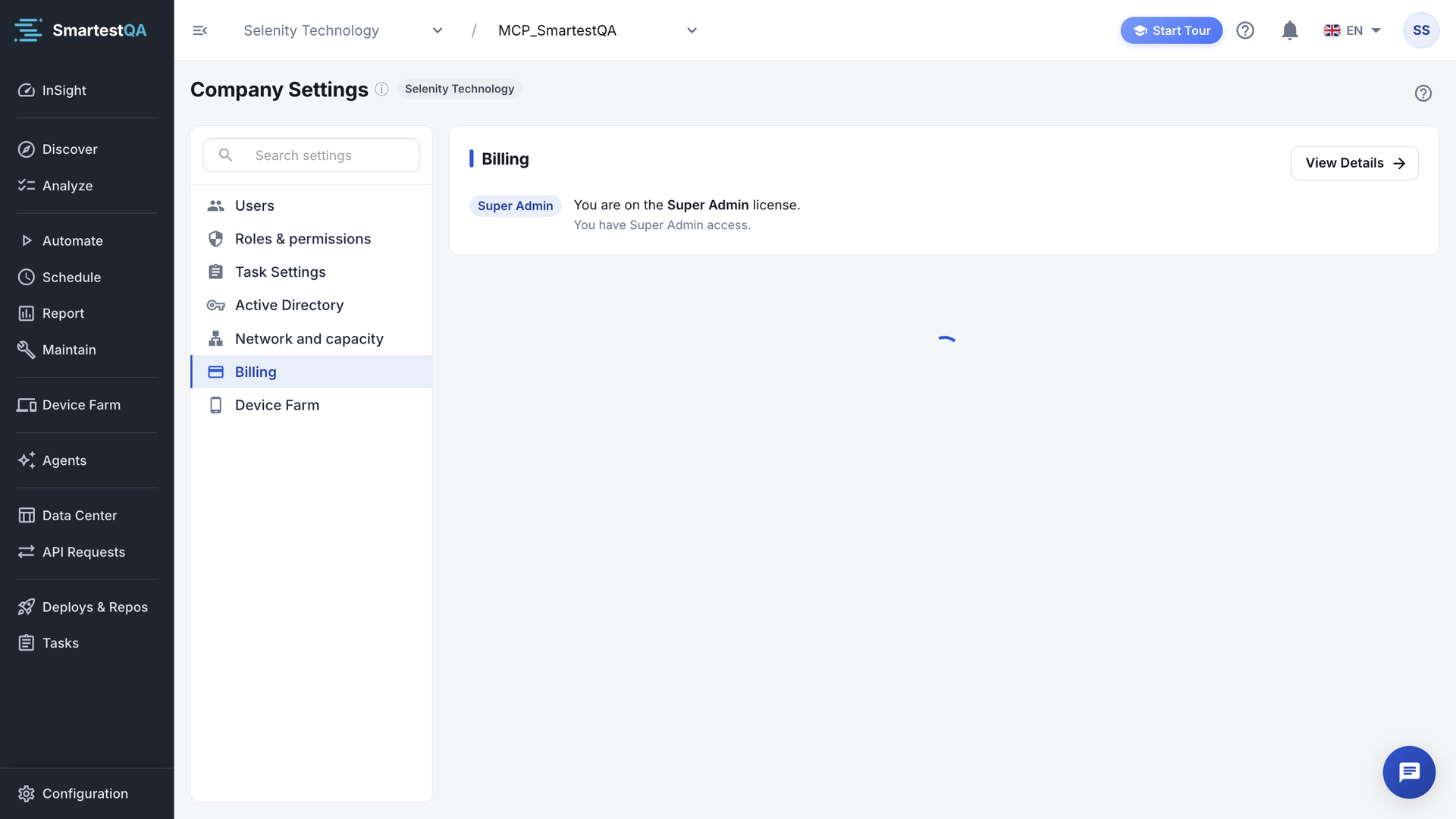
Your licence#
The card reads “You are on the name license.” with a chip showing the licence name and a short message:
| Licence state | Message | What you can do |
|---|---|---|
| Demo (free trial) | “This is a demo license. Some features may be limited.” | Try SmartestQA; choose a licence to keep working after the trial. |
| Demo Expired | “Your demo has expired. Please upgrade your plan.” | Open your data; creating anything fails until you choose a licence. |
| A monthly or annual licence | “Manage or cancel your subscription anytime.” | Work within the licence; Cancel Plan. |
| Licence (Canceled) | “Your subscription has been canceled. Your license will remain active until date.” | Keep working until that date. |
| Suspended | “Your license is suspended. Please contact support.” | A renewal payment failed; see below. |
License Details#
View Details opens License Details: License Type, Renewal Active or Renewal Passive, Start Date, End Date, and Usage Limits: the most users, projects, test cases, manual test cases, requirements, pipelines, pipeline runs and threads your licence allows. A limit with no ceiling shows Unlimited. The dialog shows the limits, not your current usage.
Choose or change the licence#
Pick the billing period
Under “Choose the License That Fits Your Needs”, click Monthly or Annual.
Pick the licence
Each card shows a licence and what it includes. Click its Subscribe Monthly or Subscribe Annual button. On a card with Contact Us, click it and send the form; SmartestQA gets in touch with an offer.
Review and pay
Complete Purchase shows the selected licence and what is included. Tick “I accept the Terms of Use” (the link opens the terms), then click Pay. The Secure Payment window asks for your card.
The licence activates as soon as the payment is confirmed. Your projects and tests stay as they are.
- Choosing the licence you already have shows “This licence is already active. You can switch to another licence if you want”.
- If the payment cannot start: “Payment could not be initiated. Please contact us.”
- A paid licence renews automatically at the end of each period. If the renewal charge fails, the licence becomes Suspended and the charge is retried.
Cancel the plan#
Click Cancel Plan
Under the licence message, or Cancel Licence in License Details. The dialog asks “Cancel Your licence name Licence?”.
Confirm
Click Yes, Cancel License, or Keep License to go back.
“Your plan has been successfully cancelled.” The page reloads; the licence shows (Canceled) and stays active until its end date.
Cancelling stops the renewal; it does not delete data. For a Suspended licence, cancelling stops the payment retries. A Demo licence cannot be cancelled here.
If something goes wrong#
Didn’t find your answer?Write to support with your project name and what you see on screen.
info@smartestqa.ai